

papers CLI
papers is a thin command-line tool for researchers: sign in once with a device code, then push versions and read check reports straight from the LaTeX folder on your machine. It is the main route when you write papers on your own computer.
Install
Section titled “Install”The CLI lives in the app's repository and needs Node 22 or newer:
pnpm --filter @papers/shared buildpnpm --filter @papers/cli buildalias papers='node /path/to/repo/packages/cli/bin/papers.js'papers --help| Environment variable | Default | Meaning |
|---|---|---|
PAPERS_API_URL |
https://papers-inseclab.khoi.pro |
Server; papers login stores it and later commands reuse it |
PAPERS_CONFIG_DIR |
~/.config/papers |
Where credentials.json is stored (directory 700, file 600) |
Sign in: papers login
Section titled “Sign in: papers login”$ papers loginMở https://papers-inseclab.khoi.pro/device và nhập mã: K7QM-2XPDThe CLI prints (in Vietnamese) the /device link and the code to enter.
- Open
/devicein a browser where you are signed in (the session must have passed 2FA). - Enter the 8-character code (case-insensitive) and click Kiểm tra mã (Check code).
- The page shows the IP, device, permissions and token lifetime; click Cho phép (Allow) if you really just ran the command.
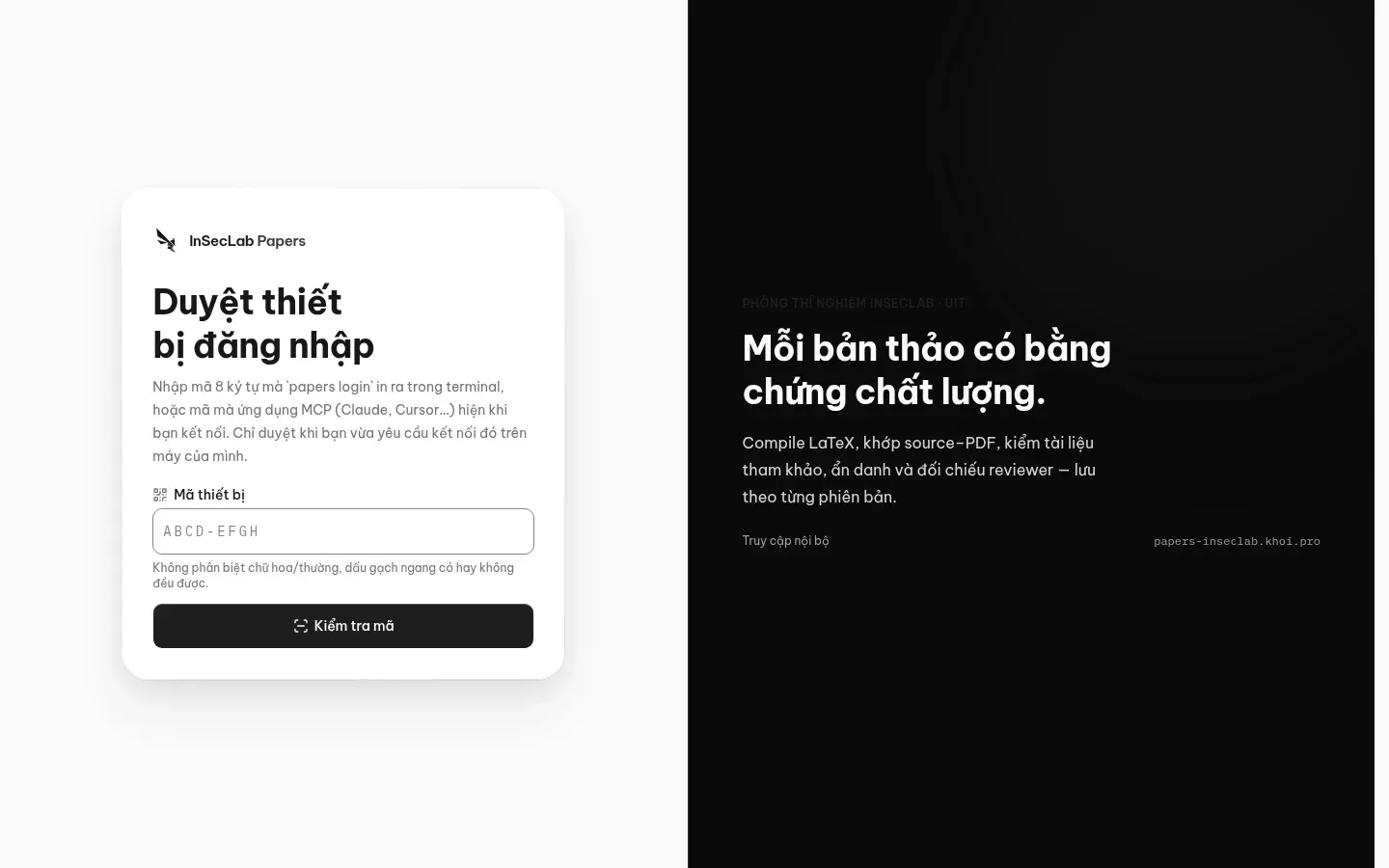
The code expires after 10 minutes. The token issued to the CLI lasts 90 days with the scopes works:read works:write checks:read; when it expires, run papers login again.
Push a version: papers push
Section titled “Push a version: papers push”papers push ISL-2026-0001 --pdf paper.pdf # zip the folder containing paper.pdfpapers push ISL-2026-0001 --pdf paper.pdf --src ./latex # zip another folderpapers push ISL-2026-0001 --pdf paper.pdf --zip source.zip # use an existing zippapers push ISL-2026-0001 --pdf paper.pdf --kind revision --label R1 \ --review reviews/R1.pdf --decision decision.pdf --response response.pdf--pdfis required.--src(a folder) or--zip(an existing file) is the LaTeX source; without either, the CLI zips the folder containing the PDF.--kind:submission(default),revision,camera_ready,published,preprint,other.--labelis a free-form label.- A revision can include the reviews, decision letter and response letter (
--review,--decision,--response). - Each push creates a new version; if the work has no submission yet, the CLI creates a draft submission on the default venue edition.
- Checks run automatically once the version has a PDF + zip; the CLI prints the version ID and the link to open it on the web.
The zip built by the CLI excludes build files (*.aux *.log *.out *.toc *.synctex(.gz) *.fls *.fdb_latexmk *.blg *.bcf *.run.xml *.nav *.snm *.vrb *.xdv *.dvi), .git/, .svn/, __pycache__/, .DS_Store, Thumbs.db, *~, *.zip; it keeps .bbl, .bib and every figure. Limits: 2,000 files, 64 MB per file, 200 MB in total, 8 levels deep, zip up to 100 MB; symlinks are skipped.
Status and reports
Section titled “Status and reports”papers status ISL-2026-0001 # versions: label, type, pages, time, version IDpapers report <version-id> # 10 checks; checks not run show "chưa chạy" (not run)papers report <version-id> --check similaritypapers report <version-id> --json # for scripts or agentsEvery command accepts --json. Exit codes: 0 success, 1 business or network error, 2 incorrect usage.
Sign out and revoke tokens
Section titled “Sign out and revoke tokens”papers logout revokes the token on the server and deletes the credentials on your machine. If you lose the machine and cannot run it, call GET /api/v1/tokens (with your web session) to get the id, then DELETE /api/v1/tokens/{id}, or ask the lab head to revoke it for you. Tokens of locked accounts or accounts removed from the lab are rejected immediately.