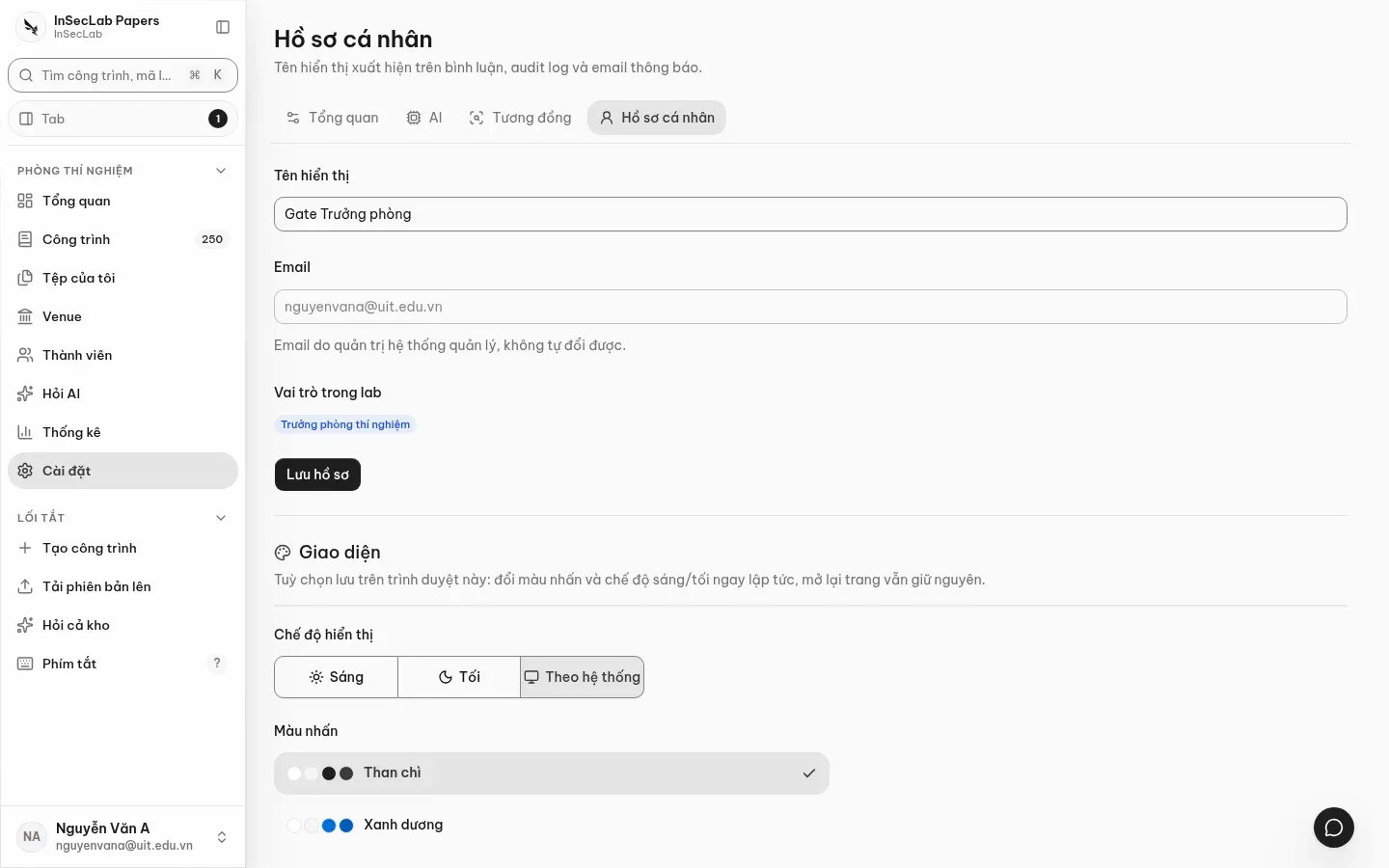
Settings
Cài đặt (Settings, /app/settings) has four sections: Tổng quan (Overview), AI, Tương đồng (Similarity) and Hồ sơ cá nhân (Profile). AI and Similarity are shared for the whole lab and only the system admin can change them; the Profile belongs to each person.
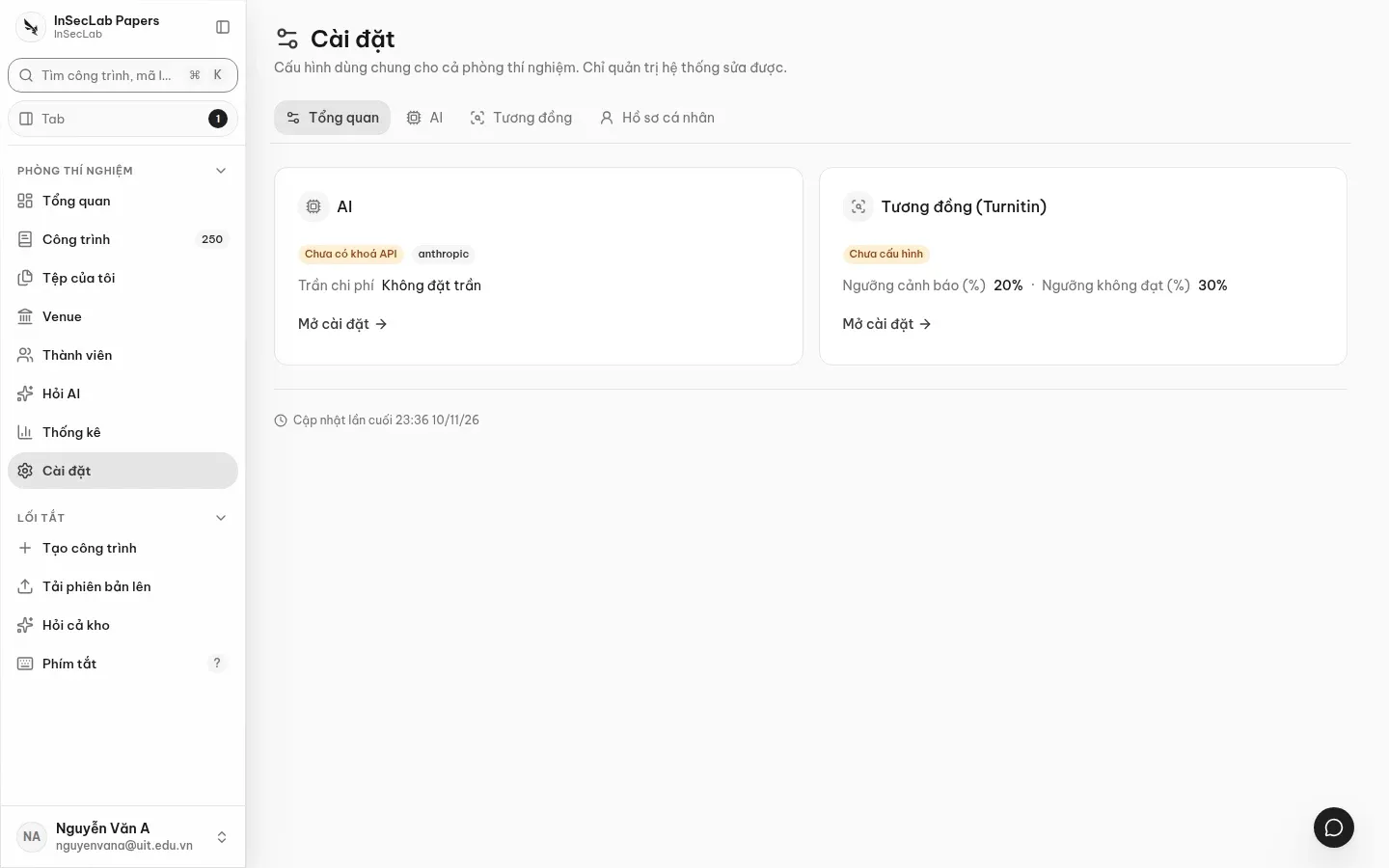
Choose the Nhà cung cấp (Provider: Anthropic, OpenAI, or an OpenAI-compatible service with a Base URL), enter the Khoá API (API key), the Trần chi phí (USD) (Cost cap, USD) and a model for each job: Model đối chiếu reviewer (reviewer cross-check model), Model chat / tách nhận xét (chat / review-splitting model), Model embedding. Click Lưu cài đặt AI (Save AI settings).
- The key is encrypted with AES-256-GCM before it is written to the database; the interface only shows the key's fingerprint. Leaving the key field empty keeps the current key.
- An empty cost cap uses the server key's cap; the value must be greater than 0 and not exceed that cap. Every AI call is recorded against the key fingerprint.
- When the cap is reached, Ask AI, PDF reading during work creation and the reviewer cross-check stop and say so clearly; no fake results are returned.
Similarity (Turnitin)
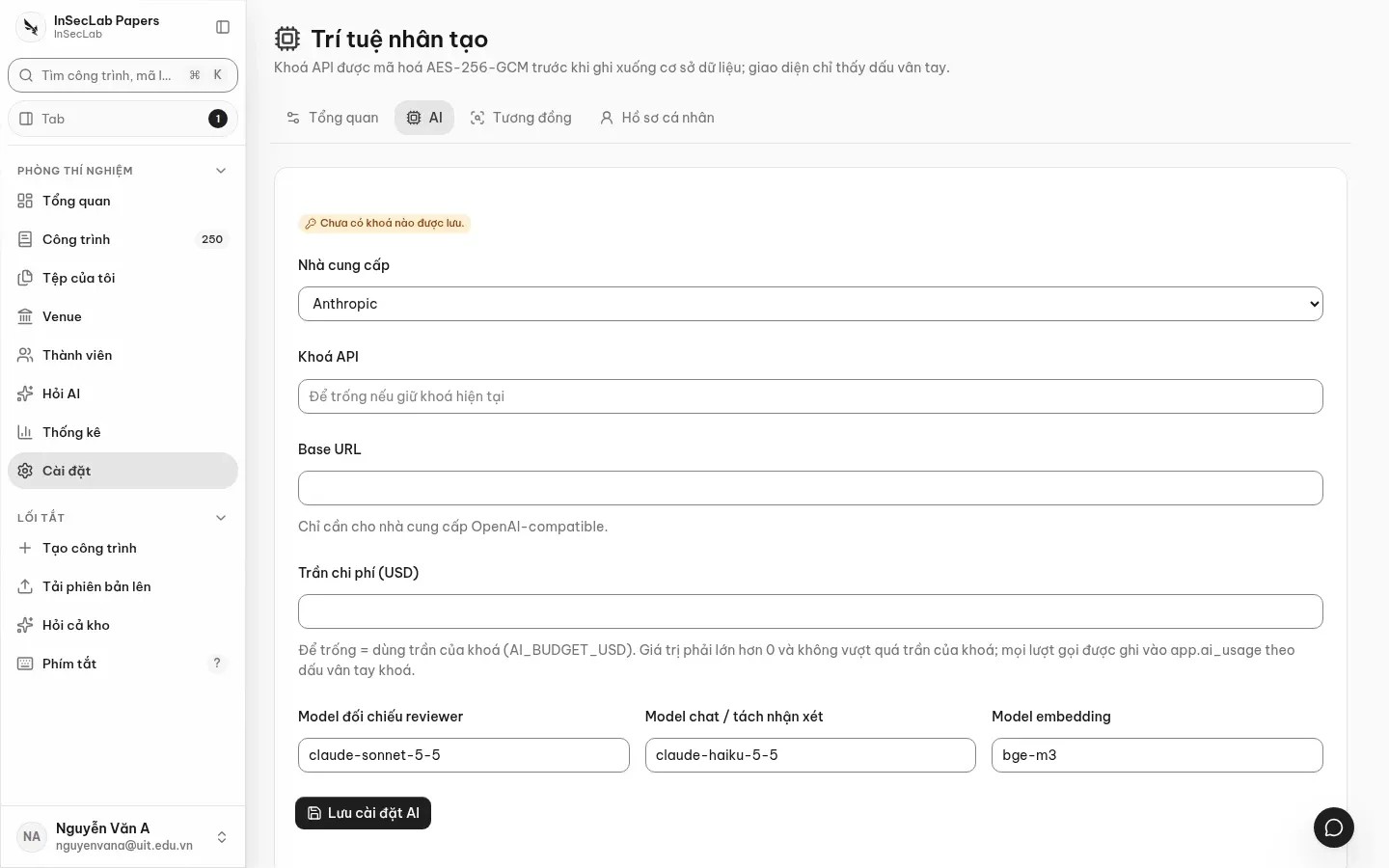
Section titled “Similarity (Turnitin)”Turn on Bật kiểm tương đồng (Enable similarity check), enter the Turnitin tenant and Khoá API (TCA) (API key), set Ngưỡng cảnh báo (%) (Warning threshold) and Ngưỡng không đạt (%) (Fail threshold); the warning threshold must be less than or equal to the fail threshold. Without a tenant or key the Similarity check reports "chưa cấu hình" (not configured) and makes no outside calls. When it is off, no job is sent to Turnitin.
Profile and appearance
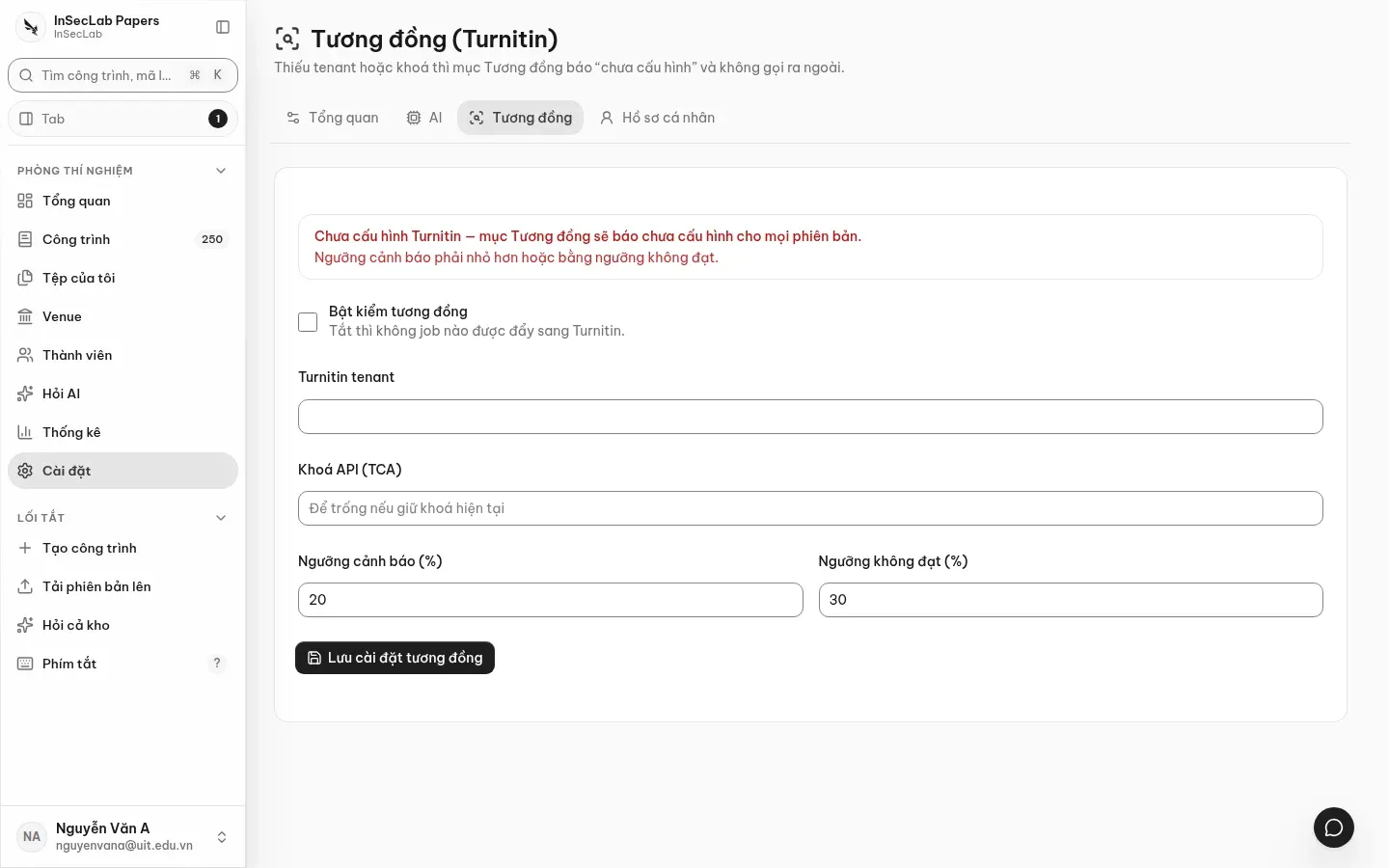
Section titled “Profile and appearance”- Tên hiển thị (Display name): shown on comments, the audit log and emails. Click Lưu hồ sơ (Save profile).
- Email is managed by the admin; you cannot change it yourself.
- Giao diện (Appearance): light, dark or system mode, and the Màu nhấn (Accent colour: Than chì/Graphite, Xanh dương/Blue, Chàm/Indigo, Tím/Violet, Lục bảo/Emerald, Hồng/Pink, Hổ phách/Amber). The choice is saved in the browser you are using and applies immediately; the account menu at the bottom of the sidebar can change it too.