

Members
The Thành viên (Members) page (/app/members) lists the people in the lab, their role, 2FA status and number of works. The lab head invites new people and changes roles here; researchers can only view.
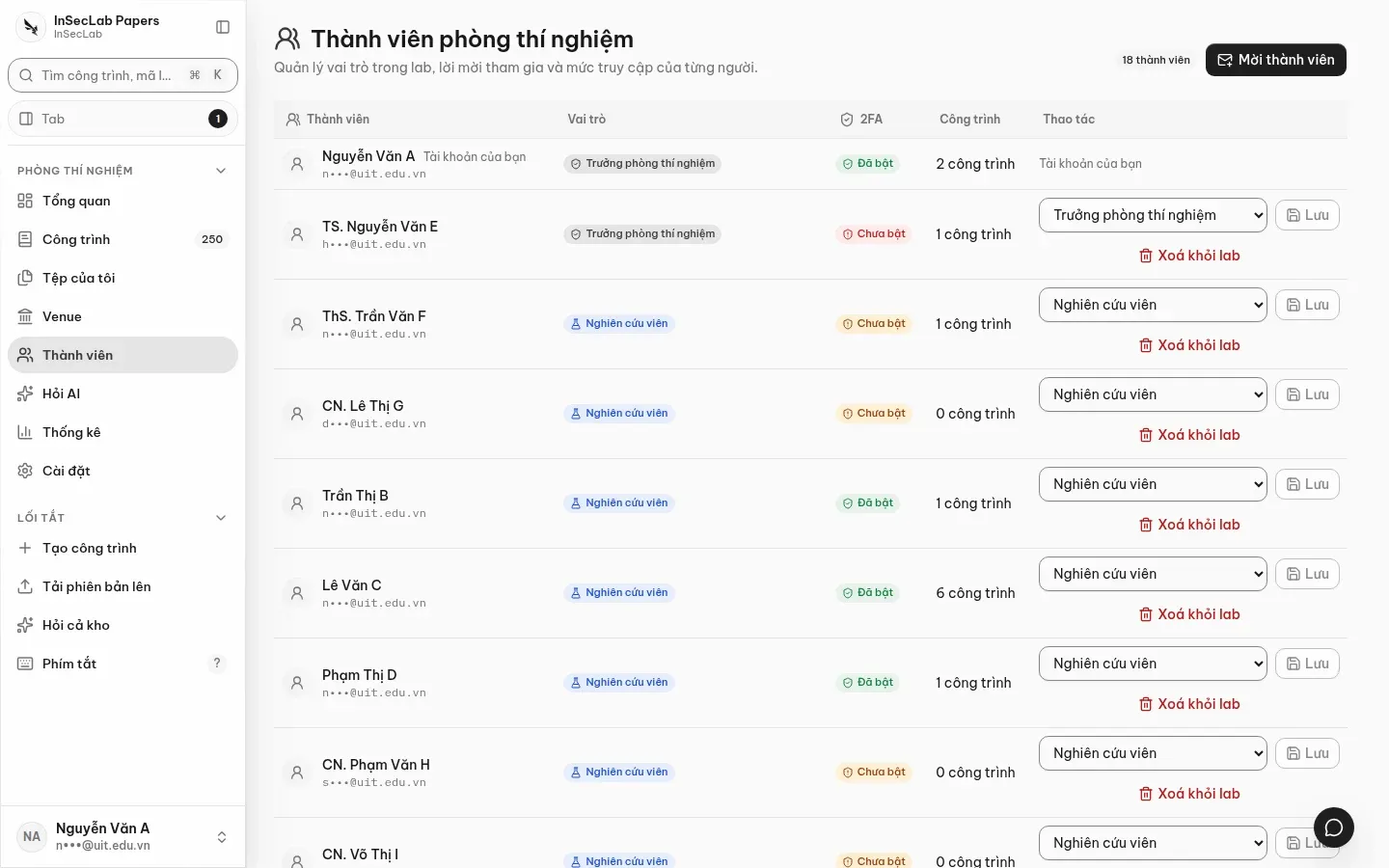
| Role | Main permissions |
|---|---|
| Trưởng phòng thí nghiệm (Lab head) | Sees every work; manages members, venues, file quotas; views Statistics; 2FA required |
| Nghiên cứu viên (Researcher) | Sees and edits the works they belong to; My files; Ask AI |
| Quản trị hệ thống (System admin) | Shared settings (AI, Turnitin), creates OAuth clients for MCP |
Invite a member
Section titled “Invite a member”- Click Mời thành viên (Invite member), enter the email and choose a role.
- The invitee gets an email with a
/invite/<id>link, signs in (with an email code if they have no password yet) and accepts. See Sign in and 2FA. - Invitations expire after 48 hours; resend them from this page.
Change a role, remove from the lab
Section titled “Change a role, remove from the lab”In the Thao tác (Actions) column, pick the new role and click Lưu (Save); or Xoá khỏi lab (Remove from lab). A removed person can no longer sign in to the lab and their CLI tokens are rejected immediately.
2FA status
Section titled “2FA status”The 2FA column shows Đã bật (On) or Chưa bật (Off). Lab head accounts without 2FA are listed in a warning at the top of the page: the app holds such an account at the 2FA setup step until it is turned on.
da