

Reviews and reviewer cross-check
Reviews are stored per version. When there are reviews and a previous version, AI matches each reviewer comment against the diff between the two versions and suggests whether it was addressed, partly addressed or not addressed. AI only suggests; it never edits version data.
Open the work page, the Tài liệu (Documents) tab, the Reviewer ↔ sửa đổi (Reviewer ↔ changes) panel.
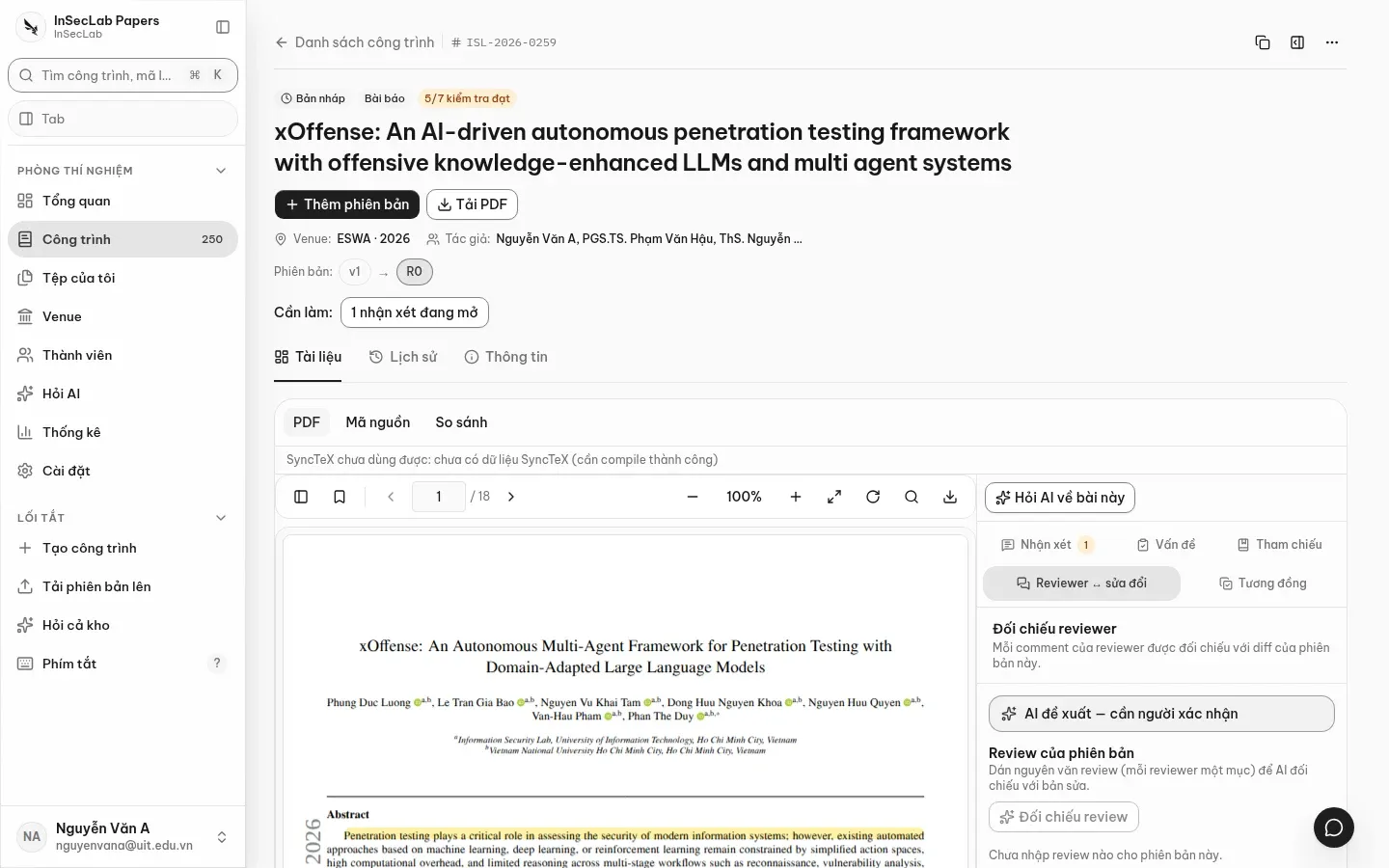
Import reviews
Section titled “Import reviews”Anyone allowed to edit the work can import reviews. There are three ways:
- Paste the email or decision letter into the Email / thư quyết định (Email / decision letter) box, or Tải PDF / TXT / EML (Upload PDF / TXT / EML), then click Tách reviewer (Split reviewers). The system splits on headings such as
REVIEW 1,Reviewer 2:(PDFs are read on the server; use Tách bằng AI (Split with AI) if needed) and shows a preview. With no clear reviewer headings the result is empty; the system does not make things up. - Enter by hand: fill in Reviewer (
R1,R2,Meta-review), Vòng (Round; 0 is the first submission), Nội dung review (Review text), click Thêm vào danh sách (Add to list); repeat for each reviewer. - Or paste JSON: an array
[{"reviewerLabel":"R1","text":"…","reviewRound":0}]or{"reviews":[…]}.
Click Lưu review (Save reviews). Each save appends (it does not replace earlier reviews), up to 60 entries at a time; saving the same content again duplicates it.
Cross-check
Section titled “Cross-check”- Click Đối chiếu review (Cross-check reviews; needs work member access or above).
- The worker compares the reviews with the diff between this version and the previous one.
- Result: one row per comment with a verdict Đã sửa / Sửa một phần / Chưa sửa / Chưa kết luận (Addressed / Partly addressed / Not addressed / Inconclusive), a confidence and the excerpt that was checked. A summary row counts each verdict.
Requirements: a previous version and at least one review; otherwise the reviewer cross-check reports Chưa cấu hình (Not configured) with the reason. Once run, the check also appears in the Issues panel.
doi dinh da