

Create a work from files
Smart intake saves you from retyping what the machine can read. You drop files, the system prefills the form, you review it, then create the work, its submission and its first version in one go. The ISL-YYYY-NNNN code is generated by the system.
Open Công trình → Tạo công trình (Works → Create work), or Tạo công trình in the Shortcuts group of the sidebar (/app/works/new).
Step 1: drop files
Section titled “Step 1: drop files”Drop at most 1 PDF and 1 LaTeX zip into the box, or click to choose them. You can also paste a DOI or arXiv ID (doi.org and arxiv.org links work too). Files are uploaded right away to Tệp của tôi → Đã nhập (My files → Imported) and count against your quota, so the system can read them before the work exists.
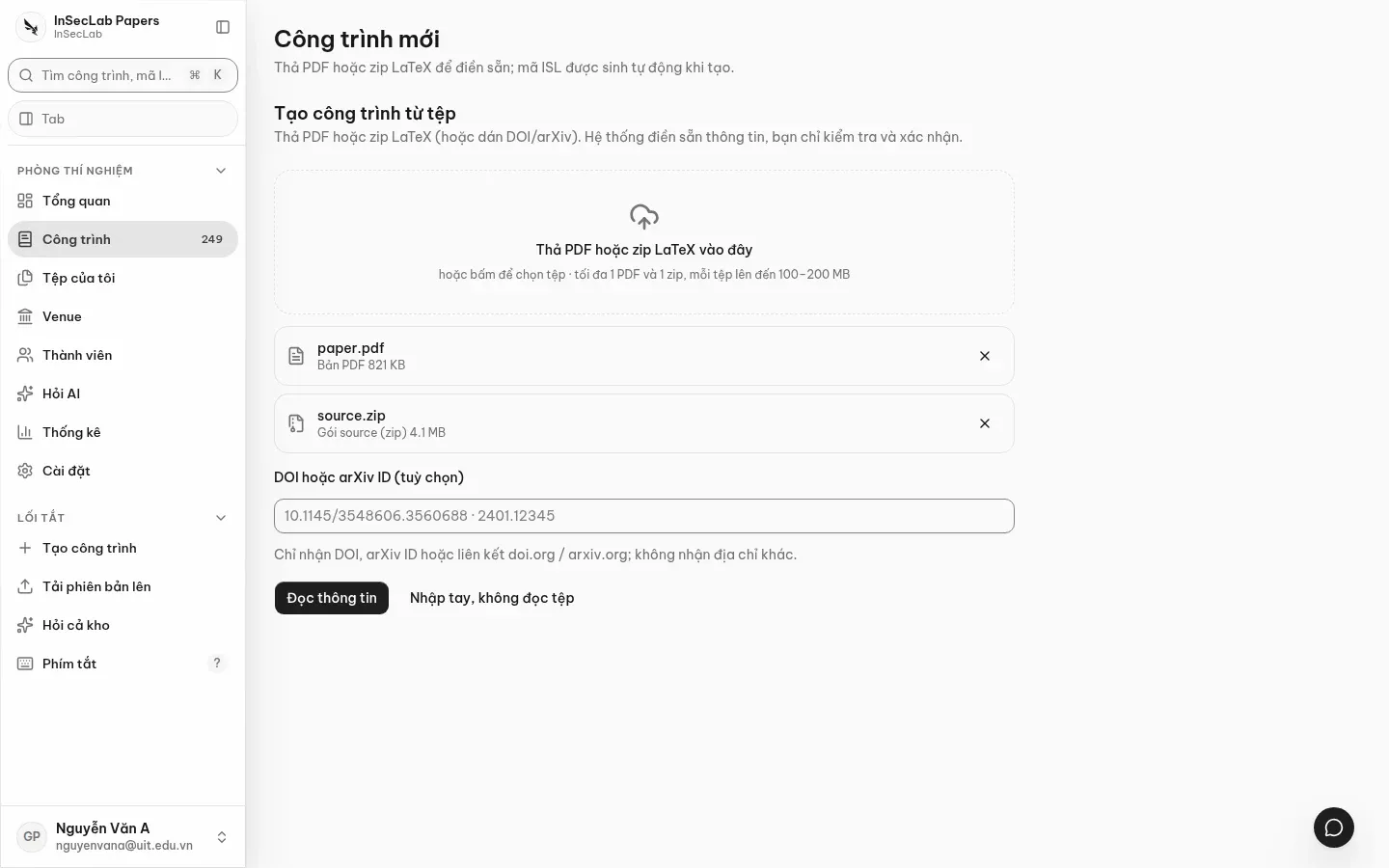
Step 2: Read details
Section titled “Step 2: Read details”Click Đọc thông tin (Read details). What gets read depends on what you provided:
| Input | The system reads |
|---|---|
| LaTeX zip | Title, authors, abstract from the source; guesses the template |
| PDF only | AI reads the first page (needs AI configured in Settings) |
| DOI / arXiv | Looks up Crossref, OpenAlex, arXiv |
If something cannot be read, the field stays empty with the reason stated; the system does not make things up. Custom author macros in LaTeX are also left empty rather than guessed. To skip this step, click Nhập tay, không đọc tệp (Enter manually, do not read files).
Step 3: review before creating
Section titled “Step 3: review before creating”Every field is editable. Extracted values are only suggestions, so check them:
- Tác giả (Authors): remove leftovers (for example an ORCID iD stuck to a name), add or remove authors.
- Khớp thành viên (Member match): authors matching a lab member get a checkbox with a match percentage. Tick it to add them as co-authors of the work; the system does not add anyone on its own.
- Hội nghị / tạp chí (Conference / journal): the suggestion list marks venues that khớp template (match the template). If a venue is missing, type its name or abbreviation to search the catalogue and OpenAlex; only the lab head can add a new venue or year.
- Loại phiên bản (Version type): defaults to Bản nộp (Submission).
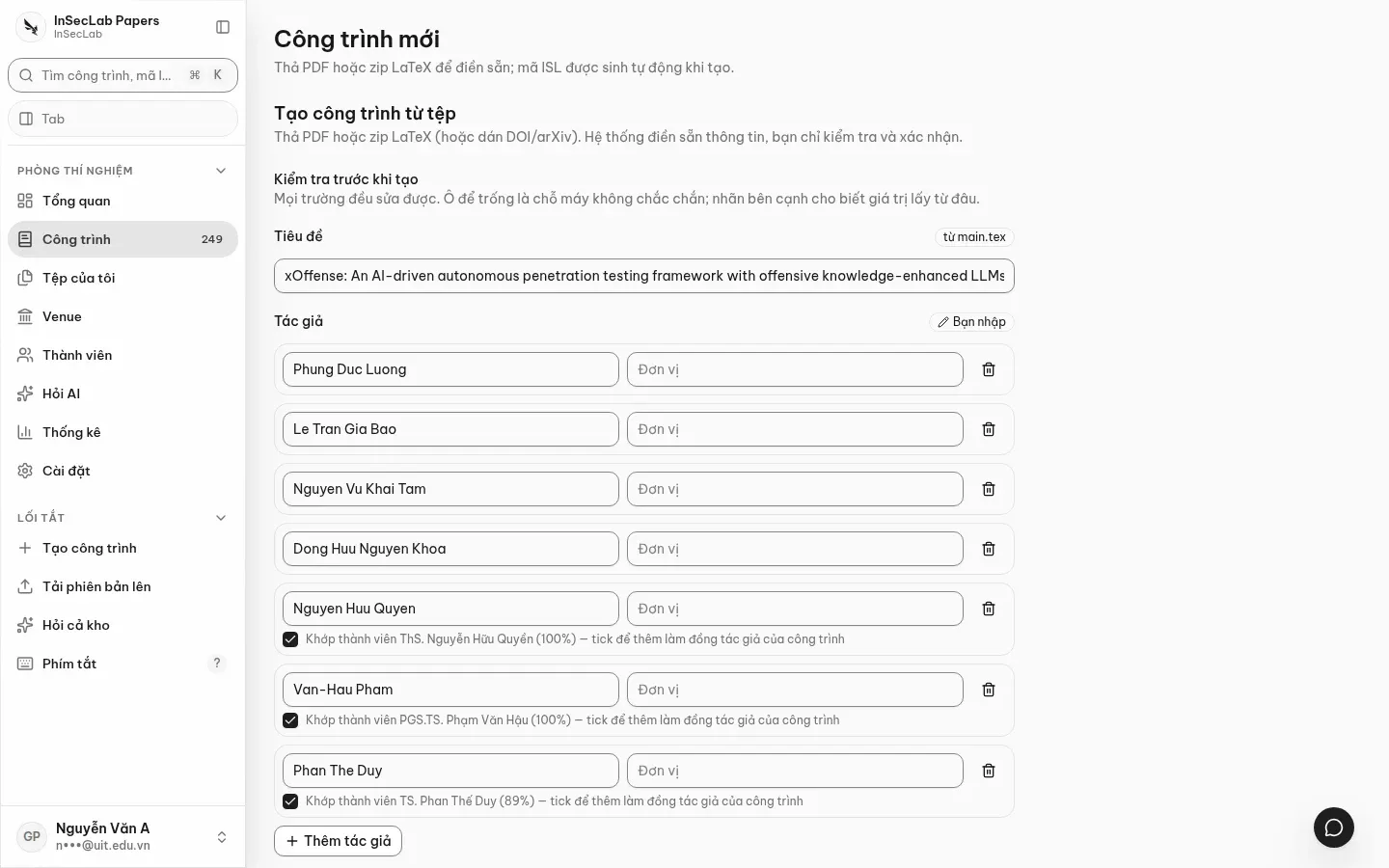
Step 4: Create the work
Section titled “Step 4: Create the work”Click Tạo công trình (Create work). You are taken to the work page with version v1. Once the version has both a PDF and a zip, the checks run automatically; see Reading check results.
If the work has no venue edition yet, the system creates a draft submission; the lab head or an admin creates the venue/edition on the Venues page.
da doc