

Comments on the PDF
Comments are attached to an exact passage in the PDF of a version, with a reply thread and a resolution status. Every action is written to the audit log.
Write a comment
Section titled “Write a comment”- Open the work page, the Tài liệu (Documents) tab, PDF mode, Nhận xét (Comments) panel.
- Select a passage in the PDF. The quote appears in the right-hand panel.
- Type into Viết nhận xét… (Write a comment…) and click Thêm nhận xét (Add comment).
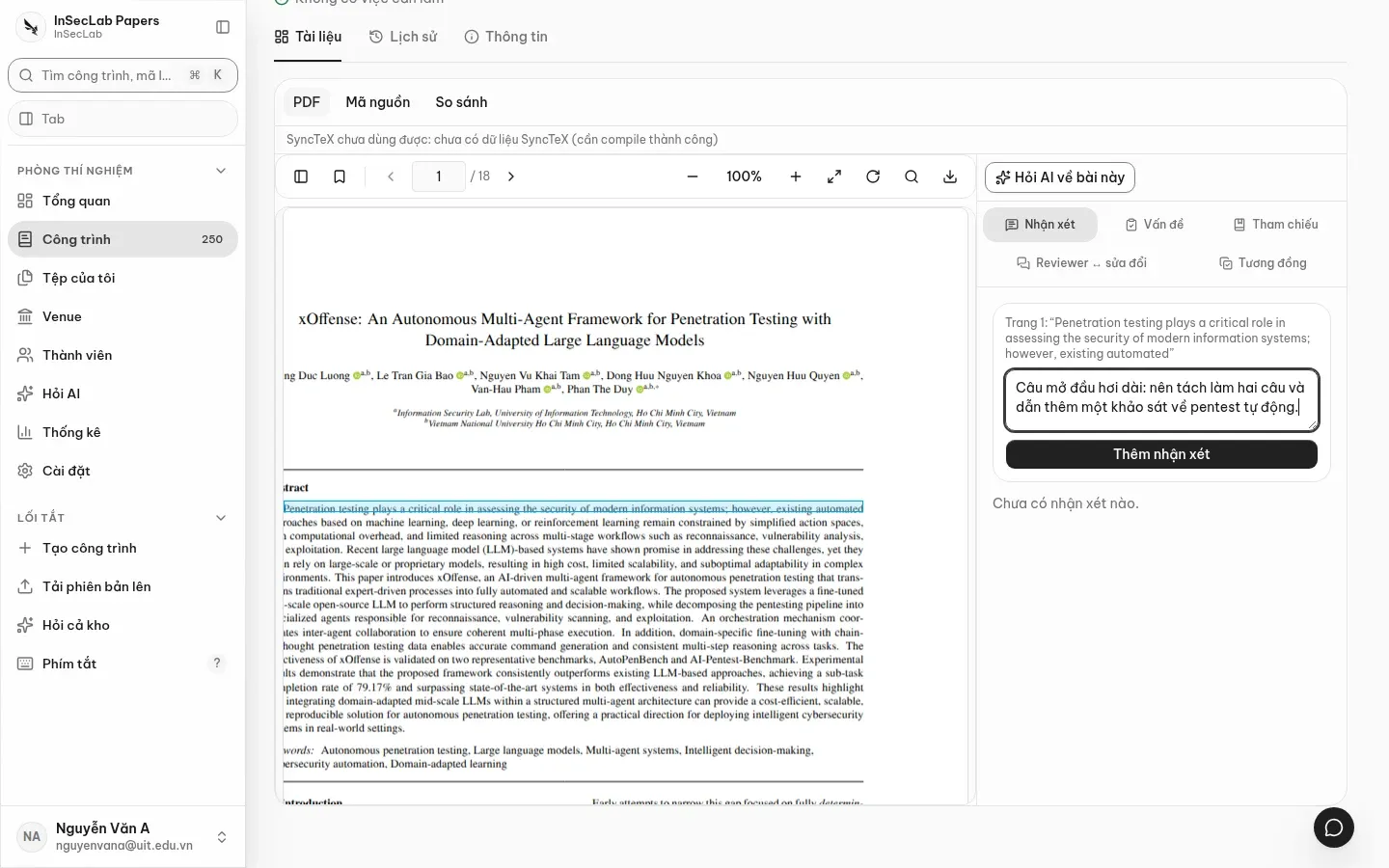
A highlight box appears on the PDF page; click a comment in the list to scroll to and flash its passage. The work header shows 1 nhận xét đang mở (1 open comment) in the To do row.
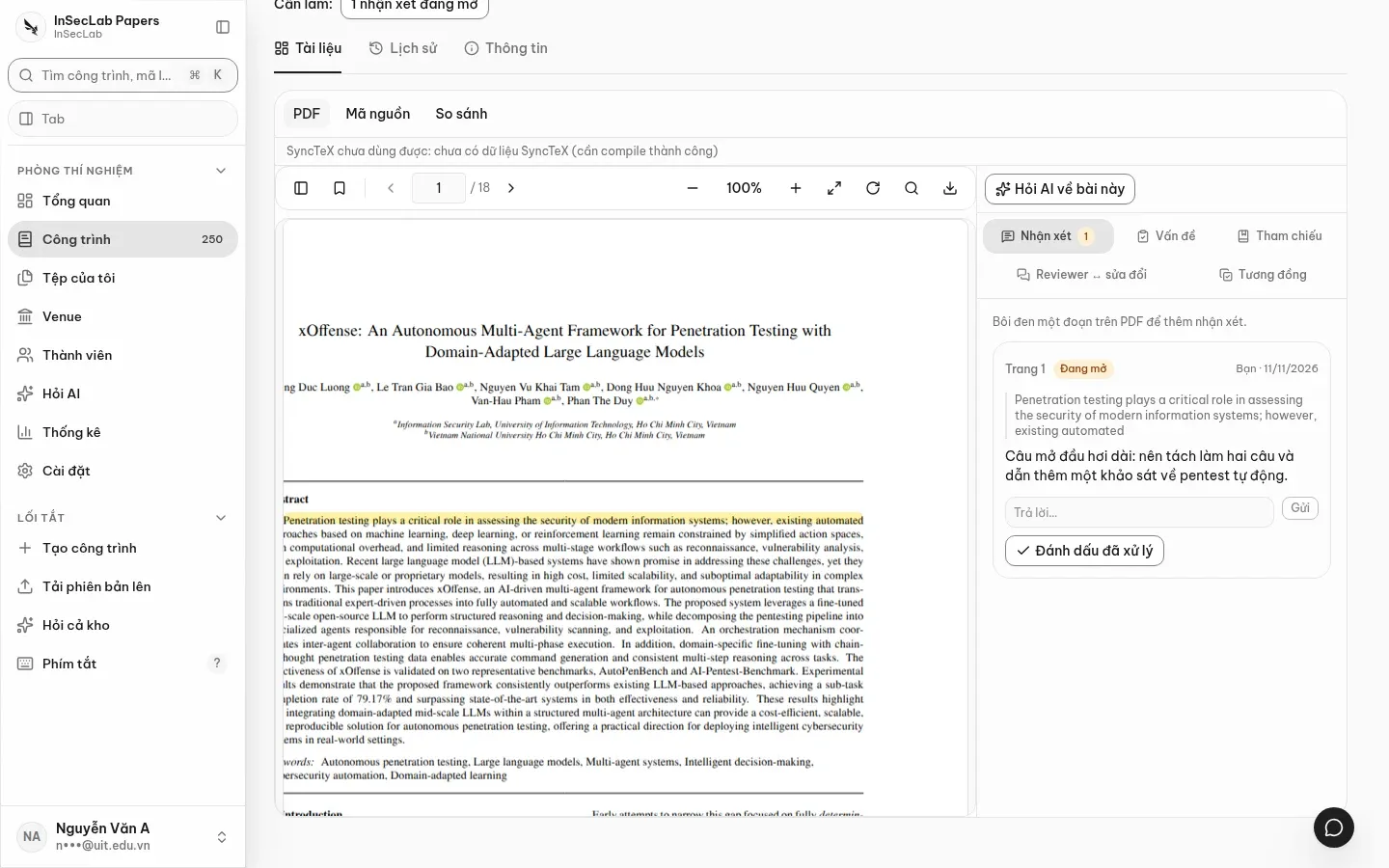
Reply, resolve, close
Section titled “Reply, resolve, close”| Action | Who can do it |
|---|---|
| Trả lời (Reply; the Trả lời… box → Gửi/Send) | Members of the work |
| Đánh dấu đã xử lý (Mark resolved) | Members of the work, while the comment is open |
| Đóng (Close) | Only the comment's author, and only after it is resolved |
On a phone you can read comments and mark them resolved.
Carry over to a new version
Section titled “Carry over to a new version”When you open a new version, comments that are not closed are matched again by their quote. If the quote cannot be found, the comment stays as Chưa định vị (Not located): it is still visible in the list, and the system does not guess a position.
dang danh da dong dinh